Data Science from Scratch: Intro & Setup

Documenting and sharing everything I learn about Data Science, Machine Learning, R, Python, SQL and more.
Organizational psychologist turned data scientist
After diving head first into machine learning roughly 47 days ago, I'm taking a step away from libraries like scikit-learn, tensor flow, even matplotlib and numpy to go back to the basics (note: I provide a rationale here).
Starting with this post, i'll be documenting my progress through Joel Grus' Data Science from Scratch (DSFS).
As a newcomer to Python (coming from R), it took a minute to understand the Python 2 vs 3, and explore the various tooling options. I tried out Spyder, Pycharm, then finally settled on the Anaconda Distribution platform to access Jupyter notebooks.
Coming into this book, I knew Joel Grus didn't like notebooks. I'm going to wait till I get to the end of the book to make a personal verdict. As a relative newcomer to Python, i'm not attached to notebooks, but have found some features to be nice (i.e., in-line plotting). I'm open to having my mind changed and I'll take the author at his word.
He states explicitly that its good discipline to "work in a virtual environment, and never use the 'base' Python installation" (p. 17). Fortunately, I had already gone through the process of setting up Python 3.8.5. My next task was to setup a virtual environment and install IPython. My IDE of choice is VSCode.
I'm happy to report that the setup process was relatively painless. I learned to setup a virtual environment for any work related to Data Science from Scratch and have started playing around with IPython.
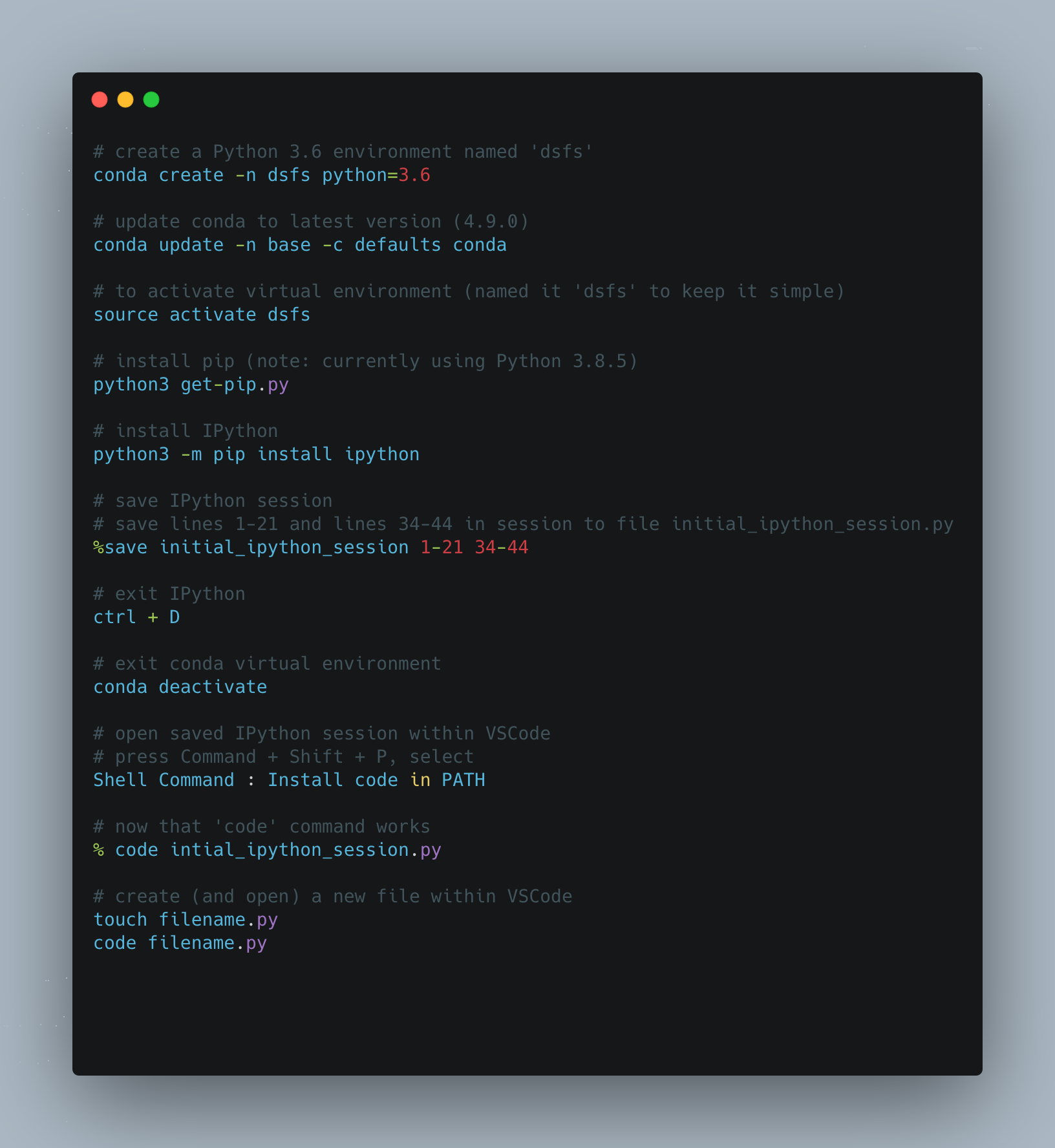
The following are good to know: entering and exiting the virtual environment (I use conda). Entering and exiting an IPython session. Saving the IPython session, specific lines, to a .py file. Opening said .py file directly from terminal within VSCode and making edits. Creating and opening .py file within VSCode.
The commands I use to do the following with commented explanation are as follows:
In the next post, we'll get into functions.
For more content on data science, machine learning, R, Python, SQL and more, find me on Twitter.


